Google Chrome dominates with over 65% market share — and collects vast amounts of user data in the process. Alternatives like Firefox, Brave or Vivaldi offer significantly more privacy without sacrificing convenience.
The problem with Chrome
Google Chrome is the most widely used browser in the world. The problem: Chrome is Google's data-collection machine. Every click, every website visited, every search query feeds into Google's advertising network. Chrome tracks your browsing history by default, syncs it with your Google account, and uses the data for personalised advertising.
Since 2024, Google has also been planning to replace cookies with "Privacy SandboxPrivacy SandboxGoogle's Chrome replacement for third-party cookies. Instead of tracking you via cookies, Chrome groups you into interest categories ("Topics API"). Critics say: it just shifts tracking from websites into the browser itself." — a system that integrates tracking even more deeply into the browser instead of preventing it. Chrome is not a good choice for privacy-conscious users.
Many browsers are based on ChromiumChromiumThe open-source browser core on which Google Chrome is built. Brave, Vivaldi, Edge and Opera also use Chromium as their foundation — but remove Google's tracking components. (Chrome's open-source base): Edge, Opera, Vivaldi, Brave. This means they adopt Chrome's technical foundation — but not necessarily Google's tracking. Brave and Vivaldi remove Google components and add their own privacy features.
The best Chrome alternatives at a glance
Firefox – The Privacy Classic

Firefox from Mozilla is the only major browser not based on Chromium. This makes Firefox the most important alternative to Google's browser monopoly. Mozilla is a non-profit organisation — there is no business model based on data collection.
What Firefox blocks by default
Firefox's Enhanced Tracking Protection (ETP) blocks out of the box:
- Social media trackers: Facebook, Twitter & Co. cannot follow you across websites
- Cross-site tracking cookiesCross-site cookiesCookies that don't come from the website you're visiting, but from advertising networks. They track you across different websites and build a profile of your browsing behaviour.: Third-party cookies are blocked
- FingerprintingBrowser fingerprintingA tracking method without cookies: your browser reveals an almost unique combination through screen size, installed fonts, plugins and system settings — your "digital fingerprint".: Firefox 145 (Nov 2025) introduced strong anti-fingerprinting measures — halves the number of trackable users
- CryptominersCryptominingHidden code on websites that uses your computer's processing power to mine cryptocurrency. Slows down your device and increases power consumption — without your knowledge.: Websites cannot use your computer for crypto mining
- Bounce trackingBounce trackingA sophisticated tracking method: when you click a link, you are instantly redirected through a tracking page before reaching your destination. The redirect sets a cookie in the process.: Prevents tracking via redirect pages
Total Cookie Protection
Since Firefox 120, Total Cookie ProtectionTCPFirefox's cookie isolation: each website gets its own cookie jar. Facebook can no longer see that you visited Amazon — cookies are strictly separated. is the default. Each website gets its own "cookie jar" — cookies are isolated per site. Facebook can no longer see what you do on other websites.
The most important privacy settings
Settings → Privacy & Security:
- Set Enhanced Tracking Protection to "Strict" — blocks even more trackers (may occasionally break websites)
- Delete cookies and site data on close — browser starts fresh each time
- Turn off telemetryTelemetryAutomatically collected usage data that the browser sends to its maker: crash reports, usage statistics, system info. Usually switchable off, but active by default. — under "Firefox data collection" uncheck all boxes
- Disable the password manager — better: use a dedicated password manager like Bitwarden
For advanced users: about:config
Via about:configabout:configFirefox's hidden settings page with over 1,000 options. Allows deep changes to browser behaviour beyond the normal settings. Type it into the address bar. in the address bar you can go further:
- Disable WebRTCWebRTCWeb Real-Time Communication — a protocol for video calls and screen sharing in the browser. Problem: WebRTC can reveal your real IP address even when you use a VPN. — prevents IP leaks (may break video calls)
- Restrict Referer headerReferer headerAn HTTP header your browser sends automatically. It tells the destination website where you came from. Advertising networks use this to track your browsing behaviour. — websites do not learn where you came from
- Enable DNS over HTTPSDoHEncrypts your DNS requests (website lookups). Without DoH, your internet provider can see which sites you visit — even on HTTPS. DoH prevents that. — DNS requests are encrypted
Changes in about:config can break websites. Document your changes or create a new profile for testing.
Advantages:
- Own browser engine (no Google dependency)
- Non-profit organisation (Mozilla Foundation)
- Very strong tracking protection out of the box
- Extensive customisation options
- Large extension library
- Open source
Disadvantages:
- Slightly slower than Chromium browsers on some websites
- Some Google services optimised for Chrome (YouTube, Maps)
- Firefox Sync sends data to Mozilla servers (encrypted)
Who is it for? Firefox is the best choice for anyone who wants genuine independence from Google. Particularly recommended for privacy-conscious users looking for an established, trustworthy browser.
Download: mozilla.org/firefox
Privacy guide: support.mozilla.org
Brave – Chromium with a Built-in Ad Blocker
Brave is based on Chromium but removes all Google components and adds aggressive privacy features. Brave blocks ads and trackers by default — no ad-blocker plugin required.
What Brave does by default
- Shields: Automatically blocks ads, trackers and cookies
- HTTPSHTTPSHypertext Transfer Protocol Secure — the encrypted version of HTTP. Indicated by the padlock icon in the address bar. Without HTTPS, third parties can read what you enter on a website. Everywhere: Upgrades all connections to HTTPS
- Fingerprinting protection: Randomises browser fingerprint
- Script blocking: Blocks malicious scripts
- Bounce tracking protection: Prevents tracking via redirects
Tor integration
Brave has a built-in private window with Tor mode. This routes your traffic through the Tor networkTorThe Onion Router — a network that routes your internet traffic through three random servers worldwide and encrypts it multiple times. Makes you nearly anonymous, but noticeably slower. — maximum anonymity, but slower than normal browsing.
Brave Rewards (optional)
Brave offers an advertising system where you earn BAT tokens (cryptocurrency) for viewing privacy-friendly ads. This is entirely optional and off by default.
Brave has made controversial decisions in the past — such as inserting affiliate links into the address bar. The Rewards system is viewed critically by some privacy advocates. Brave remains a solid privacy browser if you disable Rewards.
Advantages:
- Very fast (Chromium base)
- Strong ad blocker & tracker blocker out of the box
- Chrome extension compatible
- Built-in Tor mode
- IPFS support (decentralised web)
- Open source
Disadvantages:
- Chromium-dependent (Google controls the base)
- Brave Rewards controversial
- Smaller development team than Firefox
- Some advertising models seem contradictory
Who is it for? Brave is ideal for Chrome switchers who don't want to change their workflow. Perfect for users seeking maximum privacy without any configuration.
Download: brave.com
Support: support.brave.com
Vivaldi – The Power-User Browser

Vivaldi is a Chromium browser focused on customisability. Founded by former Opera developers, Vivaldi targets power users who want to configure their browser completely to their own preferences.
Privacy features
- Built-in ad blocker & tracker blocker (based on EasyList)
- No telemetry sent to Google — Vivaldi itself collects minimal data (update checks, crash reports)
- No user IDs — Vivaldi does not track you individually
- Cookie management — detailed control over cookies
The killer features
Vivaldi is more than just privacy — it's the browser for people who have 50 tabs open at once:
- Tab stacking: Group tabs and organise them in 2D layouts
- Split screen: Two websites side by side
- Web panels: Display websites in a sidebar (handy for messaging, social media)
- Notes & screenshots: Built-in tools without extensions
- Mail client: Built-in email client (optional)
Vivaldi Sync
Vivaldi offers sync via its own servers (end-to-end encrypted). You can choose what to sync: bookmarks, history, passwords, extensions.
Advantages:
- Extreme customisability (themes, layouts, shortcuts)
- Built-in ad blocker & tracker blocker
- No Google telemetry
- Chromium-compatible (Chrome extensions)
- Innovative features (tab stacking, web panels)
Disadvantages:
- Not open source (code is viewable but not freely licensed)
- Chromium-dependent
- More complex than other browsers (learning curve)
- Resource-intensive with many tabs
Who is it for? Vivaldi is perfect for power users who want maximum control over their browser. Less suitable for minimalists — more for people who need to manage 100 tabs.
Download: vivaldi.com
Blog: vivaldi.com/blog
Further Alternatives
LibreWolf – Firefox Ultra-Privacy
LibreWolf is a Firefox fork with maximum privacy settings out of the box. All telemetry removed, tracking protection on maximum, no Pocket integration.
Who is it for? Privacy purists who like Firefox but want to cut all Google/Mozilla connections.
Download: librewolf.net
Ungoogled Chromium – Chrome without Google
Ungoogled Chromium is Chromium with all Google services removed. No sync function, no update mechanism — just the browser core.
Who is it for? Technically skilled users who want Chromium but absolutely no Google connection.
Download: ungoogled-software.github.io
Tor Browser – Maximum Anonymity
Tor Browser (based on Firefox) routes all traffic through the Tor network. This makes you anonymous, but very slow.
Who is it for? Journalists, activists, or when you need absolute anonymity. Not for everyday browsing.
Download: torproject.org
Comparison Table
| Feature | Firefox | Brave | Vivaldi | Chrome |
|---|---|---|---|---|
| Base | Gecko (own engine) | Chromium | Chromium | Chromium |
| HQ / servers | USA (San Francisco) / US servers (E2E encrypted) | USA (San Francisco) / P2P sync (no servers) | Norway & Iceland / Iceland servers | USA (Mountain View) / US servers |
| Open source | Yes | Yes | No (code viewable) | Chromium yes, Chrome no |
| Tracker protection | ||||
| Built-in ad blocker | No (extension needed) | Yes (very strong) | Yes | No |
| Fingerprinting protection | Very strong (since Firefox 145) | Yes | Limited | No |
| Cookie isolation | Total Cookie Protection | Shields | Manual | Privacy Sandbox (problematic) |
| Speed | ||||
| Extensions | Large selection | Chrome Web Store | Chrome Web Store | Chrome Web Store |
| Sync | Firefox Sync (encrypted) | Brave Sync (P2P) | Vivaldi Sync (encrypted) | Google account (not private) |
| Telemetry | Yes (switchable off) | No | Minimal | Yes (extensive) |
| Best for | Privacy-conscious, Google independence | Chrome switchers, zero-config privacy | Power users, tab hoarders | Nobody with privacy requirements |
The most important privacy settings (across all browsers)
Regardless of which browser you use — always check these settings:
1. Enable tracking protection
- Firefox: Enhanced Tracking Protection set to "Strict"
- Brave: Shields set to "Aggressive"
- Vivaldi: Enable tracker blocker & ad blocker
2. Delete cookies after session
- Settings → Delete cookies on close
- Exceptions only for important logins
3. Disable telemetry
- All browsers collect usage data — all offer opt-out
- Firefox: Privacy → Firefox data collection → uncheck all boxes
4. Change the default search engine
- Don't use Google: DuckDuckGo, Startpage, Qwant
- DuckDuckGo doesn't track; Startpage uses Google results anonymously
5. HTTPS-only mode
- Forces all sites to use encrypted connections
- Firefox: Settings → Privacy → "HTTPS-Only Mode"
- Brave: Active by default
6. DNS over HTTPS (DoH)
- Encrypts DNS requests (your provider cannot see which sites you visit)
- Firefox: Settings → Network → Enable DNS over HTTPS
Recommended Extensions
These extensions are worth installing on any browser:
uBlock Origin (ad blocker)
The best ad blocker, open source, blocks ads and trackers. Less resource-hungry than AdBlock Plus.
Download: ublockorigin.com
Privacy Badger (tracker blocker)
From the Electronic Frontier FoundationEFFA US non-profit organisation that has been fighting for digital civil rights, privacy and freedom of expression on the internet since 1990. Also develops privacy tools such as Privacy Badger. (EFF). Automatically learns which trackers are following you.
Download: privacybadger.org
Cookie AutoDelete (cookie manager)
Automatically deletes cookies when you close a tab. Exceptions for important logins.
Bitwarden (password manager)
Open-source password manager, free, works across browsers.
Website: bitwarden.com
Server locations & company headquarters – Who controls your data?
An often-overlooked aspect: where is the company based, and where are the servers? This is not a minor detail — the company's home country and server location determine which data protection laws apply and who can demand access to your data.
Firefox (Mozilla) – USA, but encrypted sync servers
Headquarters: Mozilla Corporation, San Francisco, California, USA
Sync servers: US West (sync-1-us-west1-g.sync.services.mozilla.com)
Mozilla is based in the USA — a Five Eyes country with far-reaching surveillance powers. But: Firefox Sync uses end-to-end encryptionE2E encryptionYour data is encrypted on your device before being sent. Only your own devices hold the key. Even the server operator (Mozilla, Vivaldi) cannot read the data.. This means: even Mozilla cannot read your bookmarks, passwords and history — the data is encrypted before it leaves your device.
Mozilla is also a non-profit organisation (Mozilla Foundation) that does not need to distribute profits to investors. The business model is based on search partnerships (Google, Bing), not data sales.
Users have been requesting EU servers for Firefox Sync (GDPR compliance) for years. Mozilla has not announced European servers, but argues that end-to-end encryption provides sufficient protection.
Brave – USA, decentralised sync
Headquarters: Brave Software, San Francisco, California, USA
Sync: Peer-to-peerP2PDirect connection between your devices without routing through a server. Brave synchronises your data this way: laptop and phone exchange directly — no server stores your data. (no central servers)
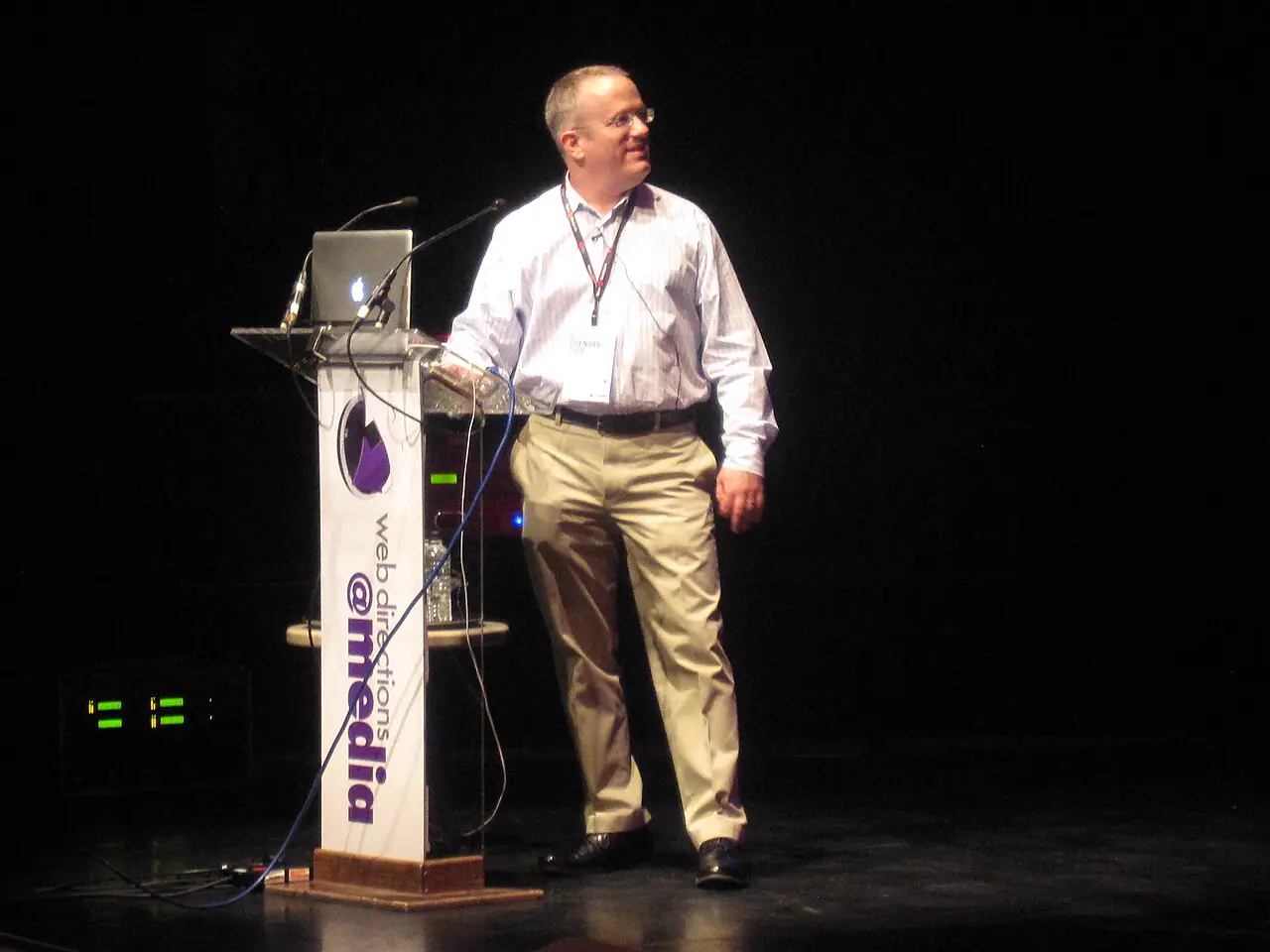
Brave is also a US company — founded by Brendan Eich (former Mozilla CEO, inventor of JavaScript). The key difference: Brave Sync works without central servers. Your devices sync directly with each other via peer-to-peer.
This means: Brave stores no sync data on servers — neither in the USA nor anywhere else. No server = no government access. However: Brave Search (the search engine) runs on US servers.
Vivaldi – Norway & Iceland (a European alternative!)
Headquarters: Vivaldi Technologies AS, Oslo, Norway
Development: Reykjavík, Iceland
Sync servers: Iceland
Vivaldi is the only genuine European alternative among the three main browsers. The company is based in Norway — a country with strict data protection laws that go beyond the GDPR. The sync servers are located in Iceland — also known for strong privacy laws.
Norway is not an EU member, but is part of the European Economic Area (EEA) and complies with the GDPR. Iceland is under the direct supervision of the Icelandic Data Protection Authority. Neither country is a Five/Nine/Fourteen Eyes member.
Importantly, Vivaldi is employee-owned, with no external investors. The company cannot sell data to satisfy shareholders.
Vivaldi uses Cloudflare as a CDNCDNContent Delivery Network — a global network of servers that delivers web content faster by storing copies close to the user. Cloudflare is the largest CDN and a US company. (Content Delivery Network) — a US company. This only affects the website, not the browser itself. Sync data remains on Icelandic servers.
Why server locations matter
The location of servers determines:
- Legal jurisdiction: US authorities can access US servers (Patriot Act, CLOUD ActUS surveillance lawsPatriot Act (2001) and CLOUD Act (2018): US laws that allow authorities to access data from US companies — even if the servers are located abroad. Affects all US-based browsers.)
- Data protection laws: GDPR (EU) vs. no real privacy laws (USA)
- Surveillance networks: Five/Nine/Fourteen Eyes countries share intelligence data
- Disclosure obligations: European companies can resist US requests
The recommendation for avoiding US servers
If you want to avoid US servers entirely:
- Choose Vivaldi — Norway/Iceland, no US connection, European data protection laws
- Use Firefox with self-hosted sync — Firefox Sync can run on your own server (Mozilla Sync Server on GitHub)
- Use Brave without sync — P2P sync avoids servers, but Brave Search runs on US infrastructure
If you want to use Firefox despite US servers:
- End-to-end encryption protects your data (Mozilla cannot read it)
- Mozilla Foundation is non-profit (no data sales)
- Sync can be disabled — data stays local
LibreWolf (Firefox fork) removes all Mozilla account functions by default. No sync = no US servers. Perfect for maximum US independence.
Conclusion: Which browser for whom?
Choose Firefox if you:
- Want independence from Google
- Are looking for an established, trustworthy browser
- Are willing to invest time in settings
- Care about open source
- Consider end-to-end encryption sufficient (despite US servers)
Choose Brave if you:
- Are switching from Chrome but want everything to just work
- Want privacy without configuration
- Value speed
- Want ad blocking without an extension
- Prefer P2P sync without central servers
Choose Vivaldi if you:
- Want to fully customise your browser
- Have many tabs open at once
- Appreciate innovative features (tab stacking, web panels)
- Need Chromium compatibility
- Want European servers & company HQ (no US connection!)
...the one you actually use. Even Brave with default settings is 100× better than Chrome. Firefox with Enhanced Tracking Protection beats every Chromium browser. The main thing: get away from Chrome.