
Four of the ten browsers I tested were indistinguishable on the PC. Chrome, Edge, Vivaldi and DuckDuckGo produced the same fingerprintFINGERPRINTThe sum of what your browser tells a website about your device: screen size, graphics card, fonts, time zone. Together they form an identifier that makes you recognisable without cookies., character for character.
That sounds like good news at first. Whoever looks the same is harder to tell apart, and that is precisely what the Tor Browser aims for: there, all users are meant to carry the same fingerprint.
Here it works the other way round. The four looked alike because all four passed on the same details about my device: graphics card, core count, screen size. Against other devices that fingerprint still remained unique, and that is exactly how Cover Your Tracks rated it[2]. So the four are alike only among themselves, on my machine. Anyone switching between them to leave fewer traces leaves exactly the same ones.
Only one browser in the test falsifies what kind of device sits underneath it throughout.
the result01The ranking
Five tiers, not places. Within a tier the difference is smaller than a ranking number would suggest.
| Tier | Browser | What it gives away about the device |
|---|---|---|
| 1 |  Tor Browser Tor Browser |
Falsifies graphics card, core count, window size and time zone. The only one to do so throughout. |
| 2 |  Brave Brave |
Rolls new values on every restart. Hides the graphics card on both phones, but not on the PC. |
| 3 |    Safari, Firefox, Waterfox Safari, Firefox, Waterfox |
Blur one thing each. The manufacturer stays recognisable, the model does not. |
| 4 |   Vanadium, Vivaldi Vanadium, Vivaldi |
Blur nothing, but give away neither the device model nor the address on the home network. |
| 5 |    Chrome, Edge, DuckDuckGo Chrome, Edge, DuckDuckGo |
Give away everything, plus the device model and, under Android, the address on the home network. |
Safari is represented by an off-road vehicle. Apple prohibits use of its own mark without a written licence, so we are going on safari instead.
Tor is in a class of its own. On my machine the clock was set to Iceland. No other browser in the test does that.
Brave is the only other one that falsifies values. On my PC it reported 5, 12 and 13 CPU cores in succession; the machine actually has 16.
Safari claims on the iPad to be a Mac from 2019. Firefox and Waterfox report a false, older graphics card, following the same pattern on all three devices.
Chrome, Edge and DuckDuckGo name your device model outright, in my case „Pixel 9a" and „Motorola Edge 50 Pro" respectively. DuckDuckGo throws in the phone's build number as well.
This ranking answers one single question
Namely how easily a website recognises you again. It says nothing about who blocks how much advertising, who owns the company, where the servers stand or how pleasant the browser is to use.
02When this matters at all
With every service you are signed in to, none of this matters. Google, Meta and Amazon know your name, your address and your order history. They do not need to recognise you by your browser, because you have just introduced yourself.
It matters precisely where you are not signed in. At the news site, at the travel provider, at the price comparison site, at the doctor search. That is where it decides whether those sites can still treat you as the same person for weeks.
And you do not have to have configured anything for that. This is the part that surprises most people. Imagine someone has to find you in a crowded railway station and may only ask yes-or-no questions. Glasses? Taller than 1.80 metres? Backpack? Red jacket? No single answer says much, each applies to thousands. After ten questions only a handful of people are left in the hall.
Your browser answers questions like these on every page load, only about your device: screen size, graphics card, number of CPU cores, language, time zone, installed fonts. You set up none of it. Most of it was fixed the moment you took the device out of the box.
And why should that bother me?
Because the match holds. You can delete cookies, and in a private window they are deleted by themselves at the end. The fingerprint stays the same in both cases: it is read afresh from the device on every page load. That is exactly what the test by Cover Your Tracks aims at, and exactly why the values in this article matter at all.
Whoever has matched you once matches you again the next time. And the same advertising and analytics services run on a great many sites. What comes out of that is a sequence: the illness you read up on in the evening. The solicitor you look for the next morning. The loan you compare two weeks later. The flat listings the month after that.
Each of these sites on its own knows little. Anyone writing them down in order knows that here is someone who is ill, taking advice, needs money and is moving house. You never gave your name and never signed in anywhere.
a mix-up03What the ad blocker cannot do
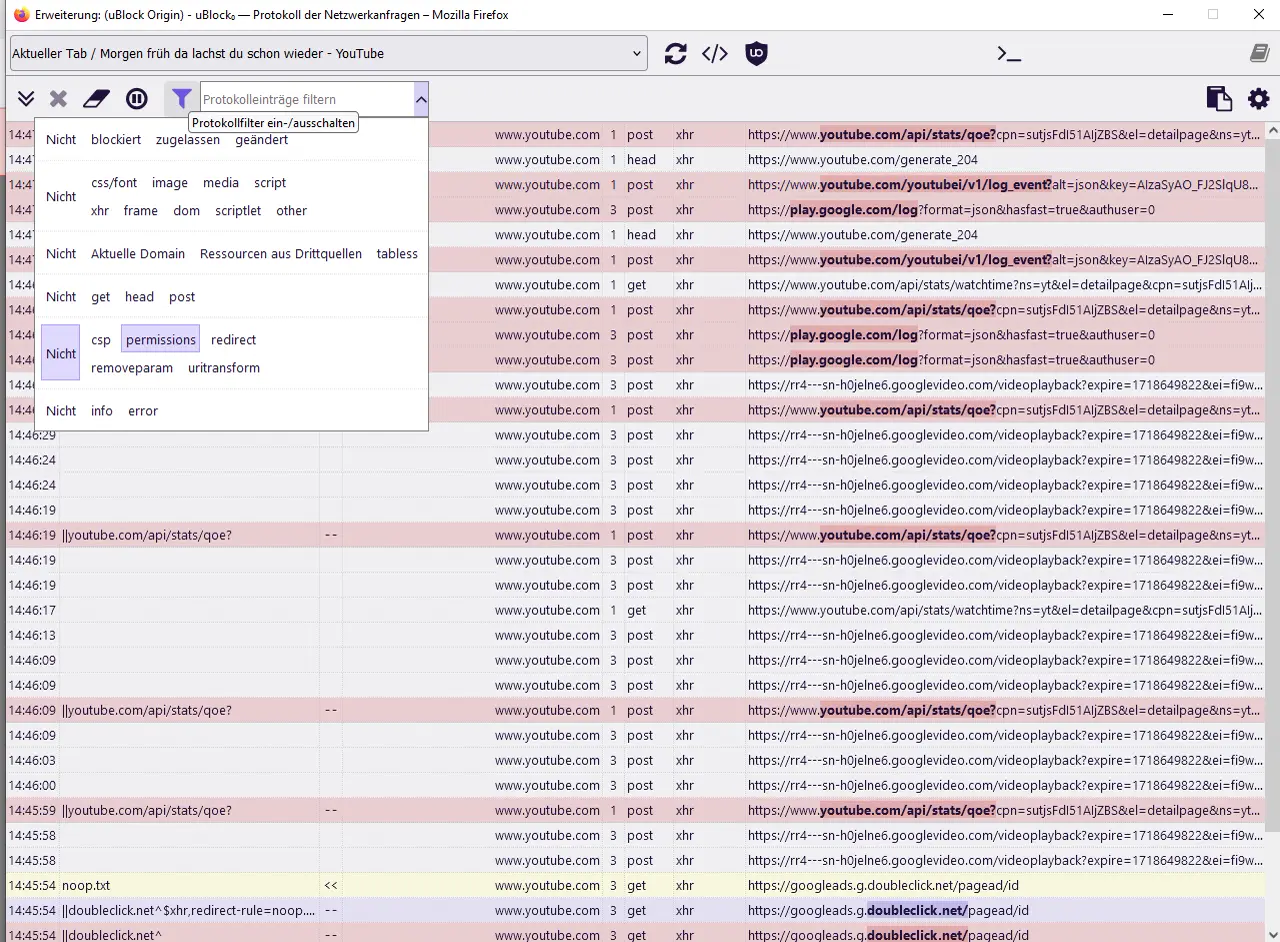
uBlock Origin changes nothing about this. I tested the same browser twice, once with the blocker and once without. Both runs produced the same identifier, down to the last character.
The blocker prevents connections to known trackers. What the browser says about itself when a site asks is a different matter entirely. I had taken the two for the same thing.
Keep the blocker. It solves a different problem from the one in this article.
recommendation04What you can do
Tor wins the test clearly and is still not an everyday browser for most people. It is slow, many sites hand you a puzzle or lock you out entirely, and online banking turns into a test of patience.
So the recommendation depends on what you are doing.
If a particular piece of research should not be traceable to you (an illness, a resignation, a solicitor, debt counselling), then Tor, for that one session. You can put up with the inconvenience for half an hour.
For everyday use on the phone, Brave is the best compromise from the test field, on both phones tested. There it hides the graphics card, rolls values and does not give away the address on the home network.
On the PC, Brave loses part of its lead but stays ahead, because it is the only one that falsifies values at all.
On iPhone and iPad, Safari is a better choice than its reputation among privacy advocates suggests. The details it reports outwards fit a great many devices at once. How much Apple itself collects about you is another matter and was not measured here.
If you use Chrome, switch as soon as you can. It will end up telling people where your grandmother lives. What else it collects about you has been compiled by Proton.
And if you stay where you are anyway: a second browser used only for the sensitive things achieves more than switching altogether.
Nerd corner Measurements, method and the technology behind it · 10 min.
How I tested
I ran three tools myself, all public and free of charge. CreepJS by Abraham Juliot reads out what a browser gives away, and additionally detects whether it is fibbing while obscuring things[1]. That was the main tool. Cover Your Tracks by the Electronic Frontier Foundation checks what gets blocked[2]. The WebRTC leak test from BrowserLeaks served as a cross-check on the addresses[3]. On top of that comes one external source I did not collect myself: privacytests.org, Android table as of 8 September 2026[4].
Four devices. A PC with Windows 11, NVIDIA GeForce RTX 3060, 16 cores. A Pixel 9a running GrapheneOS and Android 17, Mali-G715, 8 cores. A Motorola Edge 50 Pro with stock Android 16 and all Google services, Adreno 720, 8 cores. An iPad with Safari 26.6.1.
The versions, measured on 11 and 13 September 2026: Chrome, Edge, Vivaldi, Vanadium, DuckDuckGo and Brave ran on Chromium 152 or 153, Firefox and Waterfox on the 140 series, and the Tor Browser reported Firefox 140. Anyone reproducing these values should read that alongside them: the protections in these browsers change from release to release.
The network conditions varied, and that matters for reading the figures. The Pixel ran through Tailscale with a Mullvad exit in Ireland, plus network-wide filtering of name resolution via AdGuard on the home network. The Motorola ran without either. On the PC, a single Brave run went through an Irish exit, all the others without a VPN. The iPad ran on the ordinary Wi-Fi. The Tor Browser brings its own network in every case.
From this follows a limitation I will state openly: the test compares browsers, not networks. Where a public address showed up, that says something about the browser and nothing about the quality of a VPN.
The limits: 26 combinations, each measured once. Repeated runs happened only where the comparison depended on it: three times with Brave, with Waterfox with and without the blocker, three times with Vivaldi on the PC. This is a field report with documented figures. A study would require several runs per combination.
Four browsers, one fingerprint
On the PC, Chrome, Edge, Vivaldi and DuckDuckGo delivered exactly the same measurements: the same graphics card including device identifier, the same core count, the same screen size. In the EFF test, the same two checksums for canvasCANVASA drawing surface in the browser. If a website has an image drawn there, the result comes out slightly differently depending on graphics card and driver. That difference becomes an identifier. and graphics, b10815ce and 93404a17, identical down to the last character. The second value is technically the WebGLWEBGLThe interface through which a website draws directly via the graphics card, for 3D maps for example. In doing so it learns the model and driver, and the result comes out slightly differently on each device. fingerprint: the site has a small image drawn through the graphics card and measures how the result turns out. The card name further up comes from the same interface, there via the extension WEBGL_debug_renderer_info, which was originally intended for Google Maps.
On the Motorola the same picture: Chrome, Edge and Vivaldi share one fingerprint, DuckDuckGo differs in only one of the two values. Firefox and Waterfox sit apart from them, but share the same graphics value with each other because they share the same underpinnings.
Firefox and Waterfox show the other approach. Both reported an older card than the one installed on all three devices, each time with the qualifier „or similar": GTX 980 instead of RTX 3060, Mali-T760 instead of Mali-G715, Adreno 650 instead of Adreno 720. The manufacturer stays legible, the model is pulled towards a common denominator. With that, both aim at the effect from the introduction: whoever reports the same value as many others is harder to tell apart at that point.
Brave, Vivaldi, Edge, Vanadium, DuckDuckGo and Chrome all run on ChromiumCHROMIUMThe open-source underpinning from which Google Chrome is built. Other manufacturers base their own browsers on it, for example Edge, Brave, Vivaldi and Opera.. Brave still sits on tier 2 and Chrome on tier 5. So the amount of data given away is decided by the manufacturer: both use the same underpinnings and are three tiers apart.
For Vivaldi there is a counter-reading: whoever behaves exactly like Chrome, which StatCounter put at 69.39 per cent of worldwide use in August 2026[5], disappears into the crowd. The thought has something to it, but it is a bet on that similarity continuing to hold.
Three browsers give away your home network
Browsers can set up direct connections between two devices, for video calls for instance. For that to work they have to tell the other end which addresses they can be reached at, including the local one on their own Wi-Fi.
Because that is a distinguishing feature, most browsers replace this address with a random name. The connection still works, but the website does not learn the address.
Chrome, Edge and DuckDuckGo do not do this under Android. On the Motorola they wrote in the real Wi-Fi address, in my case 192.168.178.46. On the Pixel they gave away the address at which the device can be reached on the Tailscale network instead. Both are addresses that apply only within their respective network, and both serve to identify you again. On the Windows PC, Chrome sets the placeholder correctly; only under Android it does not. Both testing tools show the same thing, on both phones.
In practice this is less dramatic than it sounds: the address on the home network leads nobody to your front door. It is one more distinguishing feature, and it incidentally reveals how your network is put together.
Chromium does have a switch for this masking, chrome://flags/#enable-webrtc-hide-local-ips-with-mdns, plus a command-line option and a policy for managed devices. On the desktop it takes effect. Whether it can be reached and set effectively under Android I did not test, and in the Android versions tested the masking was off by default in any case.
Why two tests contradicted each other
Cover Your Tracks rated Tor worse than every other browser in the test. There, Tor received „some protection, but with gaps" and only „partial" on both tracker questions. Chrome, Edge, DuckDuckGo, Firefox and Vivaldi received „strong protection" and „yes" twice.
CreepJS shows the exact opposite. Both tools are reputable, both measure correctly, and they measure different things.
Cover Your Tracks largely checks how well a browser applies advertising and tracker lists. Those are precisely what Tor deliberately does not have, because such lists in turn make it possible to tell apart who is using them. On top of that came the network-level filtering during the runs via the Pixel. It intercepts trackers before the browser is even asked, and thereby improves the result of every browser except Tor, which runs past it.
A single test score is therefore no use as a verdict. You have to know what was measured.
The third source comes with a disclosure
privacytests.org is run by Arthur Edelstein. He is employed by Brave. The tests are open source and verifiable, but the selection of categories is not neutral: what gets measured is heavily what Brave is particularly good at. I therefore used the site only for context and not as the basis of the ranking.
How Brave rolls the dice
That Brave falsifies values cannot be shown with a single run. So I measured three times, on the Motorola:
| Run | Cores | Canvas checksum | Graphics checksum (WebGL) |
|---|---|---|---|
| 1 | 2 | 137ae19b… | 2c8851f8… |
| 2, same session | 2 | 137ae19b… | 2c8851f8… |
| 3, after restart | 4 | 39e832b4… | aa5b1376… |
Towards the same site the value stays stable within a session; after a restart every value is new. That is deliberate: if Brave rolled anew on every request, websites would break. Anyone comparing only the first two runs reaches the false conclusion that Brave does not roll at all.
I measured three times against the same tool. Brave's method, which Brave calls „farbling", derives the values from a seed per session and per domain[6]. So two different websites see different values even within the same session. For recognition across site boundaries that is the actual effect, and my setup with a single measuring tool does not show it.
The blocker, measured
Waterfox on the Pixel, twice through CreepJS:
| without uBlock Origin | with uBlock Origin | |
|---|---|---|
| Identifier | e909d24626809880435ad521fd890f8… | identical |
| Secondary identifier | 8dd653b589ecfea18b694464f257ad2… | identical |
| Time zone, language, device, graphics | identical in each case |
Not a single value differs. What I measured was the default configuration, and that is deliberate: anyone who has heard of uBlock installs it and lets it run. In advanced mode the blocker can block scripts per site entirely, and without scripts no fingerprinting script runs either. Hardly anyone switches that mode on, and I did not test it.
All measurements
Graphics card as the browser reports it (installed: RTX 3060 / Mali-G715 / Adreno 720)
| Browser | Windows PC | Pixel 9a | Motorola |
|---|---|---|---|
| Tor | „Mozilla", graphics blocked | „Mozilla" | „Mozilla" |
| Brave | RTX 3060 | „Brave" | „Brave" |
| Vanadium | — | Mali-G715 | — |
| Vivaldi | RTX 3060 | Mali-G715 | Adreno 720 |
| Chrome | RTX 3060 | Mali-G715 | Adreno 720 |
| Edge | RTX 3060 | Mali-G715 | Adreno 720 |
| DuckDuckGo | RTX 3060 | Mali-G715 | Adreno 720 |
| Firefox | GTX 980 | Mali-T760 | Adreno 650 |
| Waterfox | GTX 980 | Mali-T760 | Adreno 650 |
CPU cores reported (actual: 16 on the PC, 8 on both phones)
| Browser | PC | Pixel 9a | Motorola |
|---|---|---|---|
| Tor | 4 | 4 | 4 |
| Brave | 5 / 12 / 13 | 6 | 2 / 4 |
| all others | 16 | 8 | 8 |
Address on the home network
| Browser | PC | Pixel 9a | Motorola |
|---|---|---|---|
| Tor | function absent entirely | blocked | function absent entirely |
| Vanadium | — | blocked | — |
| Vivaldi | blocked | placeholder | placeholder |
| Brave, Firefox, Waterfox | placeholder | placeholder | placeholder |
| Chrome, Edge, DuckDuckGo | placeholder | given away | given away |
Cover Your Tracks verdict
| Browser | PC | Pixel 9a | Motorola |
|---|---|---|---|
| Tor | — | — | „some protection, with gaps" |
| Brave | randomised | — | randomised |
| Vanadium | — | nearly unique | — |
| Chrome | — | nearly unique | unique |
| Firefox | — | nearly unique | unique |
| Waterfox | — | — | nearly unique |
| Vivaldi | — | unique | unique |
| Edge | — | unique | unique |
| DuckDuckGo | unique | — | unique |
Behind this sits a trade-off: the Chromium browsers reduce the Android version in the user agent to „Android 10", but name the exact device model elsewhere. Firefox and Waterfox do it the other way round, naming the real Android version and no model. Tor also states „Android 10", though there together with a window size, time zone and core count that are equally untrue.
What the browsers say about themselves
| Browser | reports itself as | notable |
|---|---|---|
| Chrome, Edge | Chrome and Edge respectively | name the device model |
| Vivaldi | Google Chrome | presents itself as Chrome on the PC |
| Vanadium | Google Chrome | presents itself as Chrome |
| DuckDuckGo | Android WebView | names model and build number |
| Brave | Brave | names no model |
| Firefox, Waterfox | Firefox | name the real Android version (16 and 17) |
| Tor | Firefox 140 | claims Android 10 |
| Safari | Safari | claims to be a Mac |